Tashitama - How to Play & Support
miko
How to Play
Basic Rules: Trace Balls to Make 10
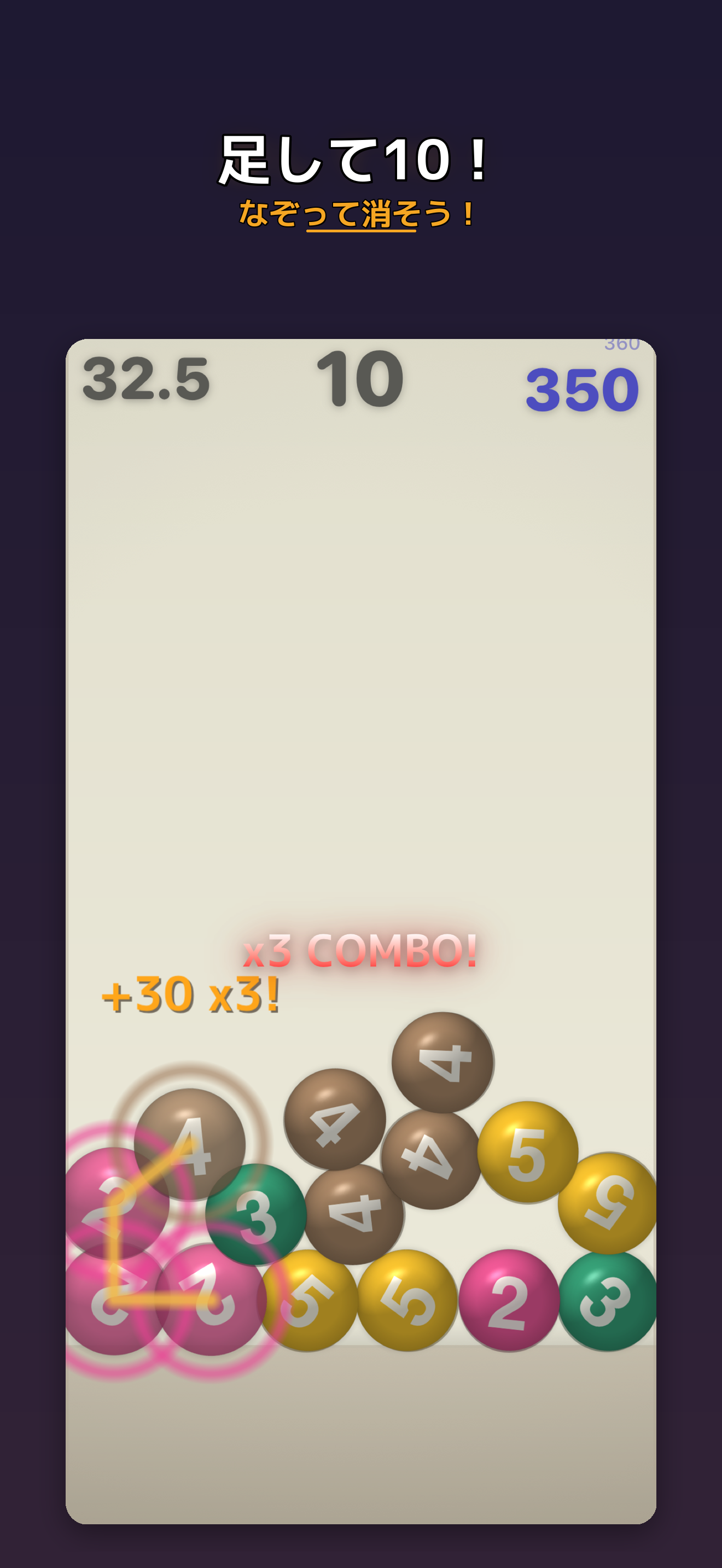
Balls with numbers 1 through 5 fall onto the screen.
Trace your finger over balls to connect them. When they add up to 10, they pop and you score points!
Examples:
- 5 + 5 = 10 (2 balls = 20 points)
- 3 + 3 + 3 + 1 = 10 (4 balls = 40 points)
- 2 + 2 + 2 + 2 + 2 = 10 (5 balls = 50 points!)
The more balls you clear at once, the higher your score. Clear chains back-to-back for combos and even bigger multipliers!
Screen Guide
- Top-left: Time remaining
- Top-center: Current chain sum (shows the total as you trace)
- Top-right: Your score (with high score above)
Power-Up Buttons
- Refill Button — Adds more balls to the field. Use it when you can’t find a combination
- Punch Button — Shuffles ball positions. Rearranges everything for fresh combos!
Game Modes
Score Challenge (5 Modes)
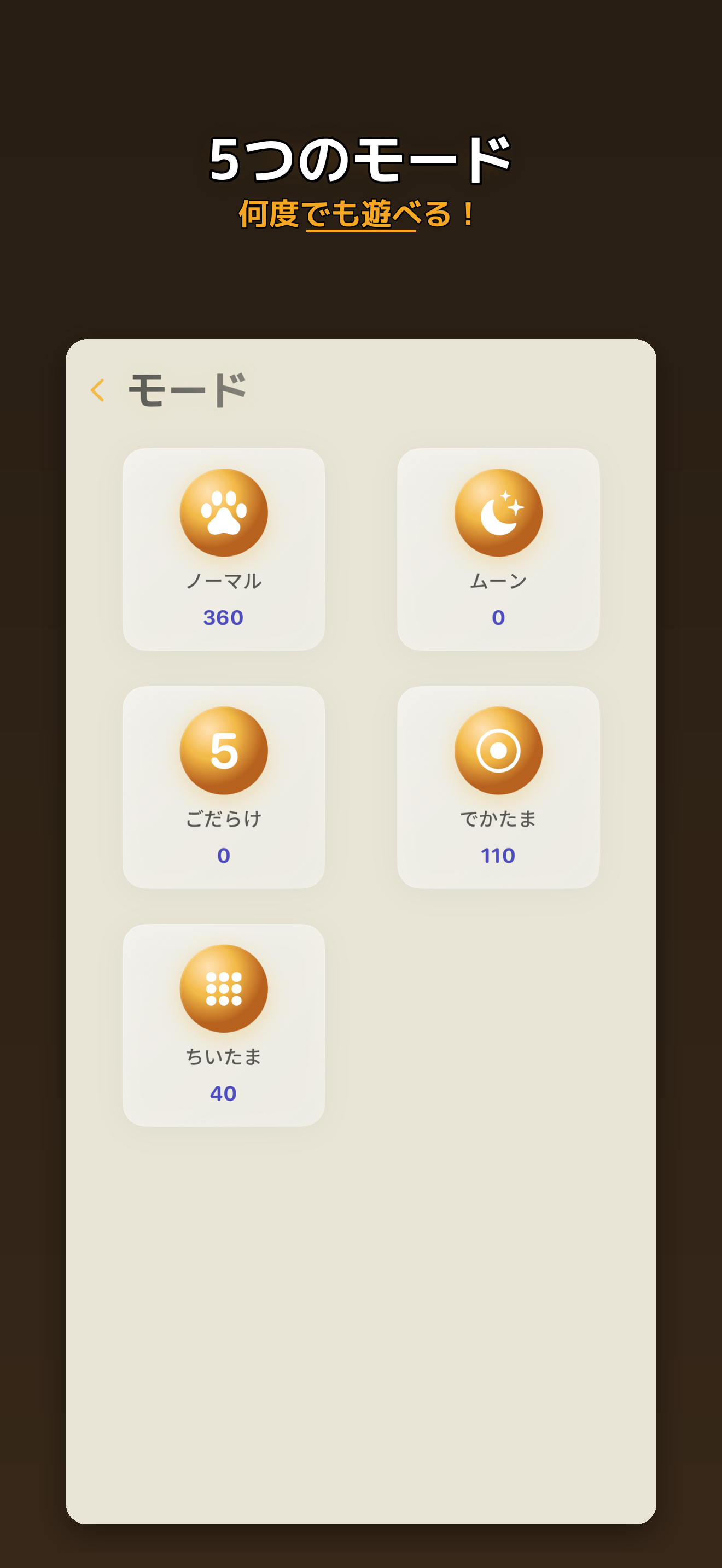
Race against a 45-second timer for the highest score. Clearing balls adds a little time back.
| Mode | Description |
|---|---|
| Normal | The classic mode. Start here |
| Moon | Low gravity — balls float gently |
| All Fives | Every ball is 5! Clear in pairs |
| Big Ball | Giant balls for a bold challenge |
| Tiny | Swarms of small balls to chain |
Unlock new modes by progressing through Story Mode.
Story Mode (26 Stages)
Clear target scores to advance through stages. Dodge onigiri obstacles, survive marathons, and more. Great for beginners — you’ll learn the rules naturally as you play.
World Ranking
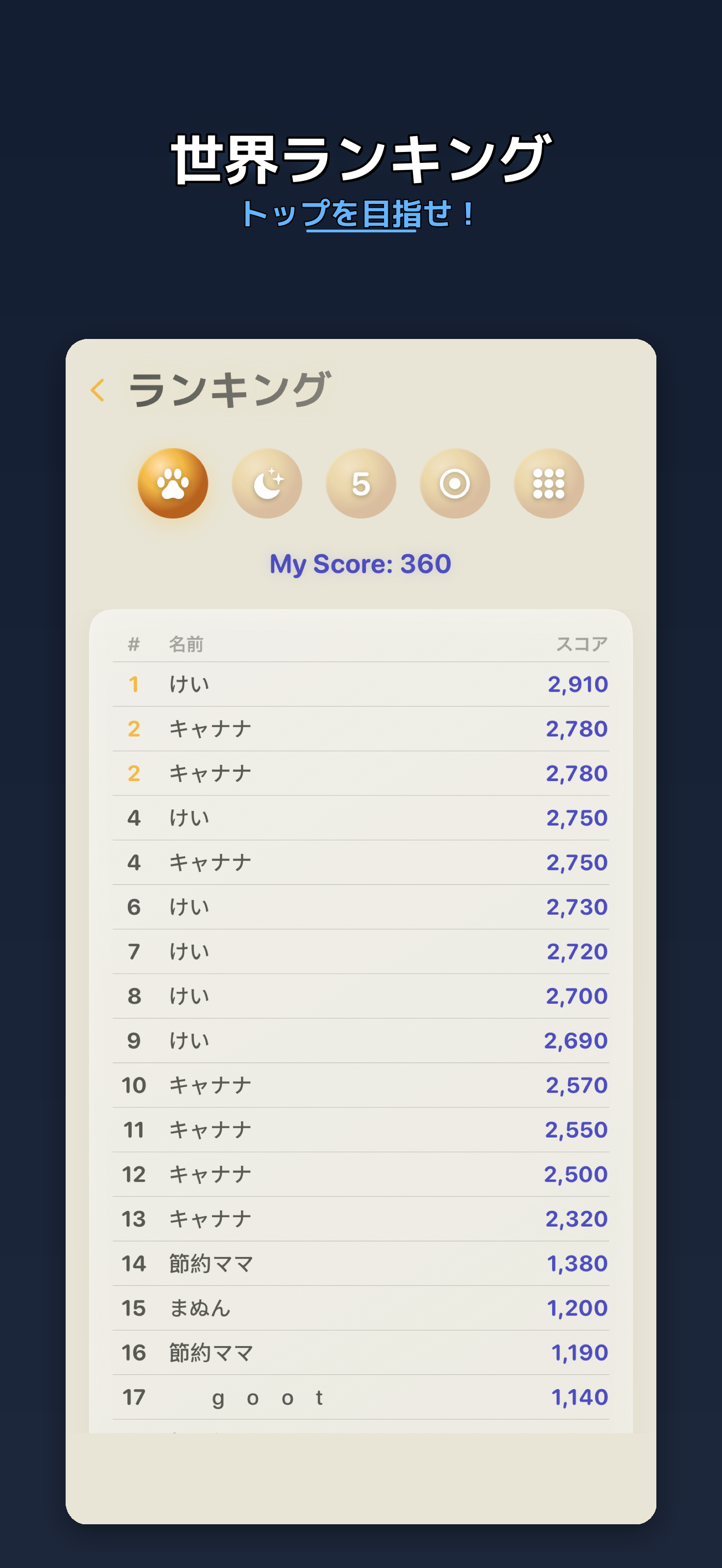
Top 20 leaderboards for each mode. Enter your nickname after a game to submit your score.
FAQ
Q. Is it free to play? A. Yes, all modes and stages are completely free. Ads are displayed, but you can remove them with an optional in-app purchase.
Q. Can I play offline? A. Yes. Everything works offline except submitting scores to the leaderboard.
Q. Can I change the language? A. Yes. Go to Settings and choose System (follows device) / Japanese / English.
Q. I lost my data A. Game data is stored on your device. Uninstalling the app will delete it. Unfortunately, data cannot be recovered.
Q. How do I remove ads? A. Tap “Remove Ads” in Settings ($3.99 / one-time purchase). If you switch devices, use the “Restore Purchase” button.
Contact & Support
For bug reports, feedback, or any questions, please contact us.
Email: [email protected]
Download